The Project
In August 2025, I got my hands on a Strix Halo machine. I needed to run local inference for some
Cyber Security work where Cloud LLMs were not an option.
I quickly realized the software ecosystem wasn't ready. Stuff wasn't working. So I started
digging, learning, and fixing things.
I shared my findings in a video. People found it
useful, so I've continued to maintain these toolboxes to help others unlock the potential of
their hardware.
Thanks to support from the Strix Halo Home Lab community, Framework, and AMD, I've continued to maintain these "Toolboxes" to help others reproduce this setup and run AI workloads on Strix Halo hardware.
// WHOAMI
Donato Capitella
Software Engineer and Ethical Hacker. I enjoy understanding systems by breaking them down and documenting the process.
What is Strix Halo?
// RYZEN AI MAX+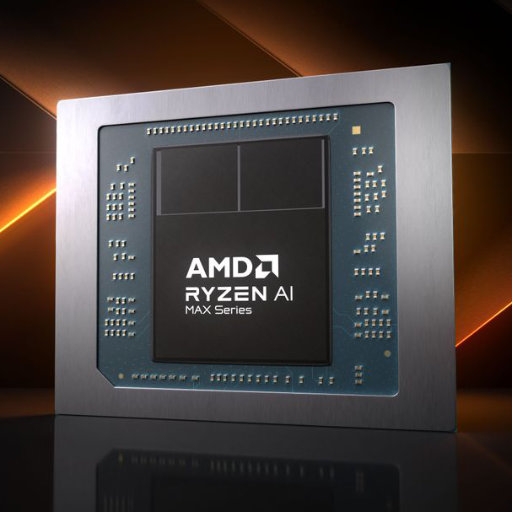
"Strix Halo" (Ryzen AI MAX+) is AMD's high-performance mobile processor platform. Its key feature for AI workloads is Unified Memory, allowing the iGPU to access up to 128GB of system RAM, significantly increasing the model size capacity compared to traditional consumer GPUs.
Active Toolboxes
// MAINTAINED CONTAINERSThese are containerized environments built on Toolbx (Docker/Podman). This approach allows you to easily get the specific runtime needed for Strix Halo, keep the host system clean, and instantly switch between different ROCm or software versions without dependency conflicts.

Llama.cpp Toolboxes
Setup for LLM inference. Supports clustering via RDMA and Vulkan/ROCm backends.
View Repo ->
ComfyUI Toolboxes
Environment for Image & Video generation. Validated for LTX2, Wan 2.2, HunyuanVideo, and Qwen.
View Repo ->
vLLM Toolboxes
Serving server setup. Includes custom RCCL patches for high-speed clustering.
View Repo ->
LLM Fine-tuning
Training environment. QLoRA and Full Fine-Tuning support for Gemma 3, Qwen 3, and generic models.
View Repo ->Tutorials & Guides
// YOUTUBE VIDEOSHost Config
// TUNED FOR PERFORMANCEThis is the configuration I use on my Framework Desktop to maintain and benchmark all toolboxes.
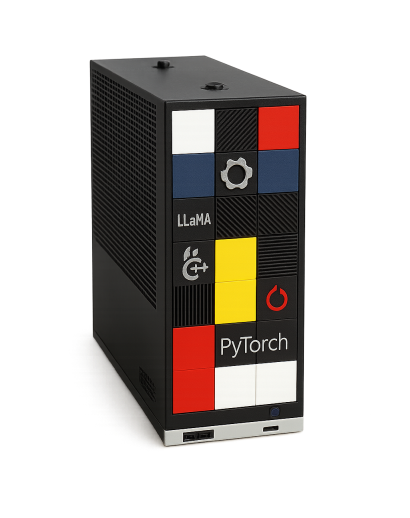
My Rig - Sent to me by Framework
System Specifications
Kernel Parameters
Why Custom Kernel Parameters?
Many guides suggest statically partitioning memory between the CPU and iGPU (e.g., locking 32GB for video). However, this is a waste. With Unified Dynamic Memory, I can let the GPU access nearly all system RAM (up to ~124GB) on demand, while keeping the flexibility to use it for the CPU when needed.
| Parameter | How it enables Unified Memory |
|---|---|
| iommu=pt | Pass-Through Mode: Bypass IOMMU translation for the GPU, reducing overhead when accessing the user-space pages. |
| amdgpu.gttsize=126976 | GTT Size (Graphics Translation Table): Explicitly sets the maximum unified memory addressable by the GPU to ~124GB (126976 MB), overriding default driver limits. |
| ttm.pages_limit=32505856 | Pinned Memory Limit: Allows the TTM (Translation Table Manager) to pin up to ~124GB of pages in high-speed system RAM, ensuring the GPU has direct access without swapping. |
Container Engine & Permissions
Depending on your Linux distribution, you will need a different container engine to properly access the GPU. Select your OS below for specific instructions.
I test this setup on recent Fedora distributions because they have native support for Toolbox. This allows accessing containers in a seamless and convenient way. The command to use passes additional parameters to explicitly map the GPU devices, as shown below:
Note: <TOOLBOX_NAME> and <IMAGE_URL> are
placeholders.
Check
the specific toolbox repository for the correct values.
Users running Ubuntu have reported permission issues with the default
toolbox package
that can break GPU access. They have shared the following configuration using
Distrobox, which works:
Note: <TOOLBOX_NAME> and <IMAGE_URL> are
placeholders.
Check
the specific toolbox repository for the correct values.
Note: This Distrobox configuration has been tested on Ubuntu 25.10 with Mainline Kernel 6.18.7-061807. To enable mainline kernels on Ubuntu, you can use the Ubuntu Mainline Kernel Installer.
Power & Performance Tuning
Following the documentation here, I set a performance profile to get max performance.
Community & Support
Connect with other Strix Halo owners, share benchmarks, and get help.
This is a hobby project that takes a lot of time to maintain and test. If you find these toolboxes
useful, consider supporting the work.